For home-service businesses
Your business never stops.
Neither does Rook.
Rook answers every text and website chat, offers a text back to every caller you miss, shares only prices you approved, books on your calendar, follows up on unpaid invoices, and hands you anything that needs a person. Month to month. You keep the software you already use.
Your part in the story below: the job, plus two texts.
Try it now
Chat with Ridgeline Roofing, a demo business with made-up prices and times. Ask a question, ask what a repair costs, or ask for a visit.
Demo business: nothing here is real.
- It has no calendar connected, so a time you pick goes to the owner to confirm, the way it works before you connect yours.
- Up to 20 messages, and your chat is cleared after 30 minutes.
One job, start to finish
A typical roof repair, from a missed call to a paid invoice. Ridgeline Roofing is a made-up business; the texts are the ones Rook actually sends.
- Tuesday, 10:14 am
A call you can’t take
You’re up on a roof. The caller hears a short message: “Sorry we missed your call at Ridgeline Roofing. We are probably out on a job. Press 1 and we will text you right now so we can help. Standard message rates may apply.” They press 1.
Rook, to DanaHi, this is Ridgeline Roofing's text assistant. I can answer questions or set up a time for someone to come out. Sorry we missed your call. What can we help with?
- 10:16 am
They send a photo
It says what it can see, then gives your price for that job.
The range is the one you entered. The AI only picks which of your price items fits; the numbers are filled in from your list, so it can’t make one up.
DanaWind took some shingles off last night. How much to fix? Photo
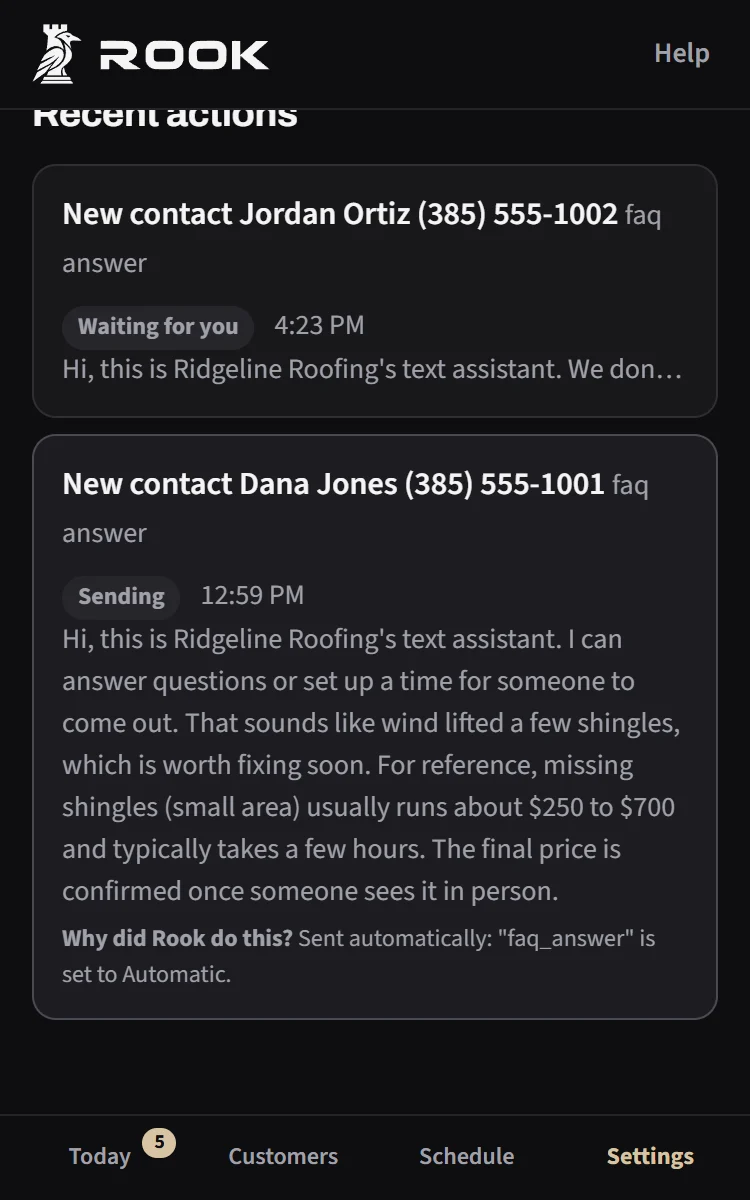
Rook, to DanaFrom the photo, it looks like a few shingles are missing on one section, with the layer underneath showing. That's worth fixing soon so water doesn't get in. For reference, missing shingles (small area) usually runs about $250 to $700 and typically takes a few hours. The final price is confirmed once someone sees it in person. Want me to find a time for someone to take a look?
- 10:18 am
They pick a time
It offers the next open times on your calendar, within your hours and rules, and asks for the address only once they’ve picked one.
It goes on your calendar, and you get a short text that starts “Booked: Dana Jones.”
DanaYes, this week if you can.
Rook, to DanaI have Thursday at 9:00am, Thursday at 1:00pm or Friday at 8:00am. Which works best?
DanaThursday at 9. 482 Oak Street.
Rook, to DanaYou're all set for Thursday at 9:00am at 482 Oak Street. Mike will see you then. Reply here if anything changes.
- Wednesday evening
A reminder
Dana can move or cancel by replying. Nobody has to call anybody.
Rook, to DanaReminder: Ridgeline Roofing is coming tomorrow at 9:00am to 482 Oak Street. Reply here if you need to reschedule.
- Thursday
The visit
Sam opens Dana’s page and sees the photo, the conversation, and your notes about the property, like a gate code. Notes like that are only for your team; they’re never shown to the AI or sent to a customer.
- Thursday afternoon
The invoice
You send one text. It checks with you before anything goes out, then sends the invoice with a pay link.
If it isn’t paid, polite reminders go out on days 3, 7 and 14. They stop the moment it’s paid, and after three weeks it comes back to you instead of getting pushy.
Youinvoice Dana 480 shingle repair
Rook, to youInvoice Dana Jones $480 for shingle repair?
Reply YES to send it, or NO.YouYES
Rook, to DanaHi Dana, here's your invoice #12 from Ridgeline Roofing for shingle repair: $480. Any questions, just reply to this text. You can pay here: rooksync.com/p/7Kq2
- Once it’s paid
The review
If Dana’s answer is mixed or unhappy, it comes straight to you. If Dana liked Sam, Sam gets the next visit when free.
Rook, to DanaHi Dana, thanks for choosing Ridgeline Roofing. How did Sam do? We'd love to hear. If you have a minute, a Google review that mentions Sam by name helps a lot: g.page/r/ridgeline
Your part: you did the job, and sent two texts: the invoice line and a YES.
This assumes booking and prices are set to go out on their own. In your first week, price replies come to you as drafts to approve first.
What it handles
Everything below comes with Rook. Each part has its own switch, so you can start small and turn more on later. Tap a card for the details.
Every way customers reach you
Texts, missed calls, website chat and your website form, answered in one clear reply.
- Texts, missed calls (callers press 1 to get a text), your website chat and your website form.
- Several texts in a row get one clear reply, not three.
- Typically replies within a minute, day or night.
Answers from what you’ve told it
Uses the answers you’ve approved, and asks you once about anything new.
- Your hours, service area, insurance, warranties, promotions and anything else you add.
- It can read your website and suggest answers; nothing is used until you approve it.
- If it doesn’t know, it says you’ll follow up. When the same question keeps coming, it asks you once, and your answer is used from then on.
Prices only from your list
Gives your range for the job. The AI can’t make up a number.
- You set a low and high for each job, with the usual time. Per square, per linear foot and per window work too.
- From a photo, it says what’s clearly visible and gives your range.
- If it’s unclear which job it is, it asks the customer one short question instead of guessing.
Emergencies and hand-offs
Urgent situations, complaints and refunds come straight to you.
- Water coming in, a gas smell, sparks, exposed wiring or a sagging ceiling: you get an urgent text with the photo, and the customer is told someone will reach out shortly.
- Complaints, refunds and “I want to talk to a person” come straight to you.
- It never gives safety instructions.
Booking within your rules
Offers open times from your calendar and books within your rules.
- Uses your Google, Outlook or iCloud calendar and writes bookings back to it.
- Your hours, visit length, time between visits, most visits per day, notice needed and days off.
- Knows your technicians and the drive between jobs. Holds a picked time for 10 minutes so two customers can’t take the same one.
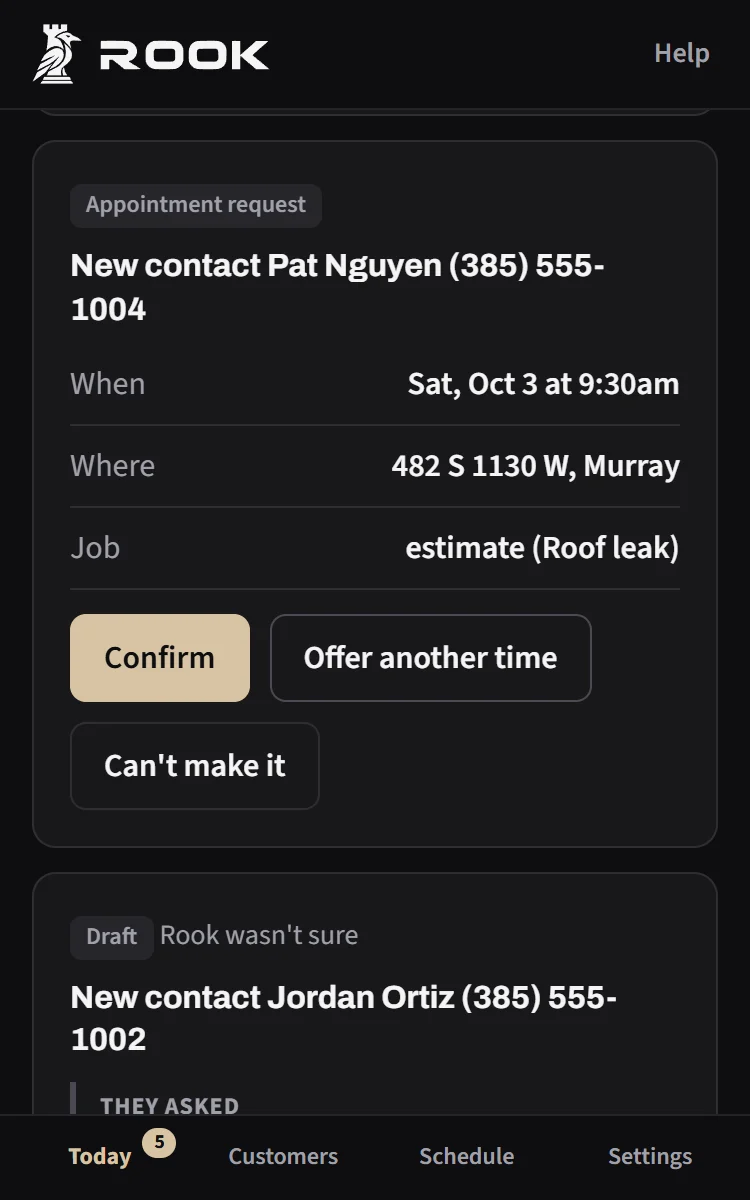
- Without a connected calendar, requests come to you to confirm with a YES.
Your service area
Knows how far you travel, and asks you before making an exception.
- How far you travel and any towns you skip.
- Someone outside the area is told politely and asked if they’d like you to consider an exception. You decide.
Jobs that take more than a day
Keeps homeowners updated from one plain text you send.
- Crew arrival notices, material delivery heads-ups and progress photos you choose to share.
- Text it a change in plain words, like “Sam’s roof: rain delay, moving to Thursday 7am,” and it updates the customer and the calendar. Anything unclear is checked with you first.
- Weather alerts over a job’s address come to you as a possible delay; the customer hears only once you confirm.
- “Are they coming today?” is answered from the job’s actual status.
Remembers people and properties
Past jobs, preferences, and who’s who at each address.
- Past jobs, what someone prefers, “out of town until the 20th,” and who’s the owner, tenant or landlord.
- Bring in your customers from Jobber, Housecall Pro, QuickBooks, a spreadsheet or your phone contacts. It keeps exactly what’s in the file and nothing more.
Getting paid
Invoices by text with your pay link, and polite reminders that stop when it’s paid.
- Invoice by text with Stripe, the pay link you already use (Jobber, Housecall Pro, Square, QuickBooks, Venmo business), or your own “check or cash” instructions.
- Polite reminders that stop the moment it’s paid, disputed or paused. No fees or legal language unless you add your own.
- “I already paid” or “can I pay half?” is handled and passed to you to confirm.
- Text “paid 12” to mark an invoice paid.
Reviews
Asks how the technician did, and for a Google review.
- After a job, it asks how the technician did and for a Google review that mentions them.
- Mixed or unhappy replies come to you. Customers who liked a technician get them again when possible.
Follow-ups
A few short check-ins when an estimate goes quiet, then it stops.
- When an estimate goes quiet, up to three short check-ins. The third says it’s the last one, and then it stops.
- It respects “next month,” quiet hours and STOP, and waits while a slipping-job case is open so nobody gets two texts.
Jobs that are slipping away
Notices stalled estimates and missed callers, and takes the next step you allow.
- It notices when an estimate never gets booked, a missed caller never heard back, a cancellation isn’t rebooked, or a hand-off wasn’t answered.
- It tells you why, and takes the next step you’ve allowed. It can also just watch and report until you trust it.
What stays in your hands
Rook never decides the things that have to be right: who can be texted, your prices, your open times, your service area. Those come from your settings. You choose how much it does without asking.
- Four switches
- Answer questions, Share prices, Book appointments and Follow up. Turn each on when you’re ready.
- You set how much it does alone
- For each kind of message: just watch, draft it for you to approve, send on its own, or leave it to you. Price replies start as drafts for the first week.
- Approve from a text
- Drafts and booking requests come to you as a text. Reply YES or NO.
- A receipt for everything
- Every automatic message has a “Why did it do this?” note in your dashboard.
- Pause with a text
- Text PAUSE and it stops texting customers. Text LIVE to turn it back on.
- Only the texts that need you
- Emergencies, hand-offs, bookings and drafts. Everything else waits in your dashboard.
How it compares
What you get with each way of running the front office. “Varies” means it depends on the product and plan you pick.
| What you get | Doing it yourself | AI receptionists | Inbox platforms | Rook |
|---|---|---|---|---|
| Answers texts and calls | PartlyWhen you can get to the phone | PartlyBuilt around phone calls; texting varies | PartlyTexts and chats land in one inbox; who replies varies | PartlyTexts and website chat. Missed callers get a text; it doesn’t talk on the phone |
| Only prices you approved | YesYou quote every job | Varies | Varies | YesThe AI picks from your list; your numbers are filled in |
| Works with your current scheduling software | YesNothing to connect | Varies | Varies | PartlyGoogle, Outlook and iCloud calendars. Not Jobber, Housecall Pro or ServiceTitan scheduling yet |
| Chases unpaid invoices with your own pay link | PartlyIf you find the time | Varies | Varies | YesYour Stripe, the pay link you already use, or check and cash |
| Keeps homeowners updated during multi-day jobs | PartlyCalls and texts after hours | Varies | Varies | YesCrew notices, delays and photos from one text you send |
| Catches follow-ups you dropped | PartlyWhen you remember | Varies | Varies | YesStalled estimates, unanswered missed calls, cancellations not rebooked |
| Contract | None | Varies | Varies | Month to month |
What your customers see
Texts that sound like the most dependable person at a well-run local business.
- Plain, friendly texts. No emojis, no sales lines, no bringing up bigger jobs they didn’t ask about.
- If someone asks, it says it’s your automated assistant and that a person is available.
- It only texts people who texted you, pressed 1 after a missed call, or checked the box on your form. STOP always works.
- It never guesses. What it doesn’t know goes to you.
Works with what you have
No new phone, no new software for your crew.
- Your phone number
- You get a local text line to put on your website and Google listing. Your current number keeps working; calls you miss can forward to the text line.
- Calendars
- Google Calendar, Outlook or Microsoft 365, and Apple iCloud. No calendar yet? Google Calendar is set up with you.
- Payments
- Stripe on your own account, the pay link you already use, or check and cash.
- Customer lists
- A CSV from Jobber, Housecall Pro, QuickBooks, a spreadsheet or your phone contacts.
- Your website
- A chat bubble and a contact form with a consent box, added by pasting a short piece of code.
- Your phone
- The dashboard works in any browser and can sit on your home screen like an app.
Getting started
Six short steps in the dashboard, on your phone or a computer. Every feature has its own on/off switch for your business.
- Your businessName, hours and where you work. Most of it is filled in for you.
- Your text lineYour new number, plus steps to forward the calls you miss. About two minutes.
- What you do and pricesYour jobs and price ranges, and your answers to common questions.
- Bring in your customersUpload an export or a spreadsheet, or skip it.
- Try itText it yourself and see exactly what customers will get.
- Your first winRecover a missed call or send your first invoice, and watch it work from start to finish.
New text lines are registered with the phone carriers before they can send. Your website chat works in the meantime.
Pricing
Month to month, with no long-term contract. Cancel anytime, or pause for the slow season and keep your settings and history. Ask for current pricing with the form below.
See it with your prices
Tell us about your business. We’ll set Rook up with your real prices so you can see it working before you decide anything.
Ask at rooksync.com/how-it-works or email support@rooksync.com.
Questions
Will it sound like a bot?
It writes short, plain texts with no emojis or sales lines, and introduces itself once as your business’s text assistant. If someone asks, it says it’s your automated assistant and that a person is available. You can read every message it sends in your dashboard, and set any kind of message to wait for your OK first.
What if it says something wrong?
The things that have to be right don’t come from the AI: prices come from your list, open times from your calendar and rules, and who can be texted from their consent. When it doesn’t know an answer, it says you’ll follow up instead of guessing. Every automatic message has a “Why did it do this?” receipt, and you can switch any kind of message to drafts you approve. When you give it a better answer, that answer is used from then on.
Do I have to switch software?
No. Rook uses your Google, Outlook or iCloud calendar, the pay link you already have (or Stripe, or check and cash), and a customer list you export from Jobber, Housecall Pro, QuickBooks, a spreadsheet or your phone. It doesn’t connect to Jobber, Housecall Pro or ServiceTitan scheduling yet, so bookings go on your calendar.
Is it legal to text my customers?
Rook is built around the consent rules for business texting: it only texts people who texted you first, pressed 1 after a missed call, or checked the consent box on your form. STOP and HELP always work, and your text line is registered with the phone carriers before it sends. This isn’t legal advice; if you have a question about your situation, ask your attorney.
What happens after hours?
It answers texts and website chats day or night, and books only inside the hours you set. Follow-ups and reminders respect quiet hours. Urgent situations still come straight to you, even while Rook is paused.
What does it cost per text?
Texting is included in the monthly price for normal business use. If a business ever needs far more than that, we’ll talk with you before charging anything.
Can I cancel?
Yes. It’s month to month with no long-term contract, and you can cancel anytime. If business slows down for the season, you can pause instead and keep your settings and history.
Who sees my customers’ data?
Your customer records and messages belong to you. Your team sees them in your dashboard. We use them only to run the service for you, with providers that work for us under contract, like hosting, texting and AI companies. Access notes such as gate codes are never shown to the AI or to customers. You can ask for an export anytime, and after you cancel we delete your data within 90 days. The details are in the Privacy Policy and Terms.

Built in American Fork, Utah by Tyler Chambers, who answers support himself: support@rooksync.com